
Agro farm management software solution in Bangladesh | ERP & CRM software
Running an agro farm means keeping track of small details every day. Feed comes in. Medicine goes out. Production changes. Workers have expenses. Suppliers need payment. Customers may still have dues. The problem starts when these records stay in notebooks, separate Excel sheets or different WhatsApp groups.
American Best IT Ltd. agro farm management software brings the main parts of farm operation into one connected system. Owners and managers can check production, livestock records, feed and medicine stock, purchases, sales, expenses and accounts without collecting reports from several people first.
The custom software can be configured for poultry farms, dairy farms, cattle farms, fisheries, crop projects, livestock businesses and integrated agro farms in Bangladesh.
Manage your agro farm with one connected system
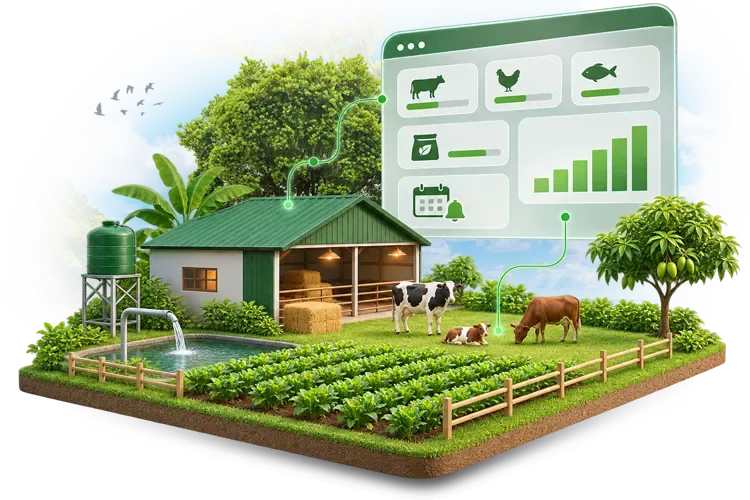
Our farm management software in Bangladesh keeps farm operations, inventory, purchases, sales, and financial records in one place. Poultry, dairy, cattle, fisheries, and other agro projects can use modules based on their actual work process.
Common farm management problems it helps solve
- Records spread across notebooks and Excel
- Repeated manual data entry
- Feed and medicine stock mismatch
- Hard-to-track daily production
- Supplier bills kept separately
- Customer dues difficult to monitor
- Poor expense classification
- Limited control over multiple farms or ponds
- Too much dependence on one staff member
- Delayed management reports
- Difficult batch or project comparison
- Different staff keeping different records
Key features of our agro farm management software
The system covers the regular activities involved in running an agro business. You can start with the parts your farm needs most and add other functions where required.
Poultry, livestock and dairy farm management
Keep regular farm activities under one system. For poultry operations, staff can maintain batch, feed, medicine, vaccination, mortality and production records. Dairy and cattle farms can record animal purchases, feed use, treatment, milk production, sales and other daily activities. The records stay available for later review too. That makes it easier to compare what happened between different periods, batches or animal groups.
Farm production and batch tracking
Production does not stay the same every day. One poultry batch may perform better than another. Two ponds under the same company may give different results. The software can keep production records separately by farm, shed, batch, pond, project or animal group. Depending on the farm, this may include:
- Egg production
- Milk production
- Fish harvest
- Poultry production
- Livestock growth
- Crop output
- Batch-wise production
- Project-wise production
Feed, medicine and farm inventory management
Feed is a major recurring cost for many poultry, cattle and fish farms. Medicine, vaccines, seed, fertiliser and other inputs also move regularly. A missing stock entry can create trouble later. The system for managing farm inventory can keep records of:
- Feed purchases and issues
- Medicine and vaccine stock
- Seed and fertiliser
- Farm consumables
- Equipment and materials
- Opening stock
- Closing stock
- Supplier-wise purchases
- Stock transfers
- Farm or project-wise usage
- Current stock balance
Purchase and supplier management
An agro business may buy feed from one supplier, medicine from another, fuel locally and equipment from several different vendors. Keeping every bill separately makes supplier accounts harder to follow. The purchasing section connects purchase entries, supplier information, payments and outstanding amounts. Staff can also look back at previous purchases when checking prices or preparing the next order.
Agro product sales and customer due management
Farms sell in different ways. Some sell directly. Others supply wholesalers, dealers, retailers or regular business customers. Payments and outstanding customer balances can remain connected with those sales records. The system can record sales of:
- Eggs
- Milk
- Fish
- Poultry
- Cattle
- Livestock
- Crops
- Other farm products
Farm expense and accounting management
Feed is not the only cost of running a farm. There may be labour, electricity, transport, medicine, fuel, maintenance, equipment and other operating expenses. If these costs remain scattered, it becomes difficult to understand where the money is actually going. Depending on the agreed setup, it may cover:
- Daily expenses
- Farm-wise expenses
- Sales collections
- Customer dues
- Income records
- Purchase payments
- Supplier dues
- Expense records
- Cash transactions
- Financial summaries
Crop and agricultural project management
Crop farming has its own type of cost tracking. A single project may involve seed, fertiliser, pesticide, irrigation, labour, machinery, transport and harvesting expenses. The software can record these costs against the relevant farm, field or agricultural project. Production and sales can then be connected with the same project records.
Employee and labour management
Farm operations may involve supervisors, storekeepers, accountants, permanent staff and daily labour. Employee records can be connected with the system according to the required setup. Different users can also receive access to different parts of the software.
A farm supervisor does not necessarily need access to every financial report. Likewise, an accountant may not need to change production records.
Multi-farm and project management
Some agro businesses operate more than one farm, shed, pond, warehouse or project. The software can keep these records separate while still allowing management to review the wider business from one system. For example, you may compare:
- Farm-wise production
- Project-wise expenses
- Shed-wise results
- Pond-wise performance
- Location-wise stock
- Farm-wise sales
- Individual project costs
Farm dashboard and management reports
Owners should not have to wait until the end of the month to know what is happening. The management dashboard can provide a current view of important operational records. Depending on the setup, this may include:
- Daily production
- Feed usage
- Medicine stock
- Current inventory
- Purchases
- Sales
- Customer dues
- Supplier dues
- Farm expenses
- Batch performance
- Project activity
- Recent transactions
Core modules of our agro farm management system
Our agro farm management system is built with connected modules for daily farm operations, production, inventory, purchases, sales, accounts and reporting. Each module works with the same farm data, so staff do not need to maintain separate records. The platform can be divided into connected modules. Your farm may use the complete setup or start with the modules that matter most.
-
1. Farm operations module
Maintain regular operational records for poultry, livestock, dairy, fisheries, crop projects and other farm activities. -
2. Production management module
Record farm output by batch, shed, pond, animal group, field or project. Historical records can be reviewed when comparing performance. -
3. Inventory management module
Manage feed, medicine, vaccines, seed, fertiliser, consumables and other farm stock. Purchases, issues and current balances stay connected. -
4. Purchase and supplier module
Maintain suppliers, purchase entries, payments, outstanding bills and previous buying information. -
5. Sales and customer module
Record farm product sales, customer payments, outstanding balances and sales history. -
6. Farm accounting module
Connect income, expenses, purchase payments, sales collections and other financial activity with farm operations. -
7. Employee and labour module
Maintain relevant staff information and organise user access according to responsibility. -
8. Multi-farm management module
Keep several farms, sheds, ponds, warehouses or agricultural projects under the same system without mixing their records. -
9. Reporting module
Generate operational, inventory, sales, purchase and financial reports from available system data. -
10. User and role management
Give different access to owners, managers, accountants, storekeepers, supervisors and other users.
Benefits of using agro farm management software
A farm becomes harder to control as production, people, stock and transactions increase. Software does not replace farm management. It gives management a more reliable place to keep and review the information used every day.
- Reduce repeated manual work: Information already entered into the system can be used across connected parts of the farm operation. Staff spend less time preparing the same record again.
- Keep farm information together: Production, inventory, purchases, sales and expenses no longer have to sit in separate files.
- Control feed and medicine stock: Management can review purchases, usage and available stock instead of depending only on manual store reports.
- Check production more easily: Batch, shed, pond or project records make it easier to compare results over time.
- See farm expenses more clearly: Daily operating costs can stay connected with other financial records instead of being scattered across expense books.
- Reduce dependency on individual staff: Important business information stays in the system. It does not remain only with one accountant, supervisor or storekeeper.
- Improve accountability: Role-based user access makes responsibilities clearer. Different employees work with the records relevant to their jobs.
- Manage several farms more easily: Separate units can keep their own records while management retains a wider view of the business.
- Review historical performance: Previous production, purchase, stock, sales and expense records remain available for comparison.
- Support future expansion: New farms, projects, users or modules can be added as the business grows.
Who can use our agro farm management software?
The same software setup will not fit every agricultural business. A small cattle farm may only need livestock, feed, expenses and sales. A larger agro group may need poultry, fisheries, stock, accounts and several farm locations under one system. The software can be configured for:
Poultry farms
Manage layer or broiler batches, feed, medicine, vaccination, mortality and production records.
Dairy farms
Keep milk production, feed, medicine, cattle groups, expenses and sales connected.
Cattle farms
Record cattle purchases, feed cost, treatment, farm expenses and cattle sales.
Fisheries
Keep pond, feed, medicine, production, harvest and project expenses organised.
Crop farms
Record seed, fertiliser, pesticide, irrigation, labour and harvest-related costs.
Integrated agro projects
Manage several agricultural activities, locations or projects through one system.
Other users may include goat and sheep farms, hatcheries, feed businesses, agricultural companies and multi-farm business groups.
Why choose American Best IT Ltd. for agro farm management software?
American Best IT Ltd. develops business automation software that can be configured around the operational requirements of the organisation. For an agro business, that may mean connecting farm activities with stock, purchasing, sales, expenses and reporting instead of treating each area separately.
- Customised around your operation: Modules and workflows can be adjusted according to your farm type and existing process.
- Connected farm records: Production, feed, medicine, purchases, sales and accounts can work through the same system.
- Support for different agro businesses: The setup can be planned for poultry, dairy, cattle, fisheries, crop projects or mixed farm operations.
- Role-based access: Owners, managers, accountants, storekeepers and supervisors can receive access according to their work.
- Multi-farm setup: Different farms, sheds, ponds, warehouses or projects can remain separately identifiable.
- Useful reporting: Management can review operational and financial information without waiting for several manual reports.
- Scalable setup: Additional farms, users and modules can be considered as the business expands.
- Team training: Relevant staff can be shown how to use the parts of the software required for their daily work.
How we set up agro farm management software
We do not need to put every possible feature into the system on day one. The setup should first match the work your team actually does.
- Understand the farm operation: We review the type of farm, number of locations, regular activities and the way records are currently maintained.
- Identify required modules: Next, we decide what needs to come into the system. This may include production, livestock, feed, medicine, inventory, purchases, sales, expenses, accounts or staff records.
- Set up farms and users: Required farms, projects, sheds, ponds, warehouses and user accounts can be prepared. Access is assigned according to responsibility.
- Arrange the daily workflow: Common activities such as feed issue, medicine use, production entry, stock transfer, purchase, sales and expense entry are organised around the agreed process.
- Add opening information: Existing products, stock, suppliers, customers and relevant balances can be entered where required before regular use starts.
- Test with actual farm activities: The setup can be checked with real day-to-day records. This helps identify anything that does not match the working process.
- Train the relevant staff: A storekeeper, supervisor and accountant will not use the software in the same way. Training can therefore focus on each user's responsibilities.
- Start regular operation: After the setup is ready, the farm can begin regular data entry and reporting. Additional processes or farm units can be considered later when needed.
Bring your farm records under one system
Notebooks and Excel sheets can work when the operation is small. The problem comes when more farms, workers, stock items, suppliers and transactions are added. Then finding the right information becomes part of the job itself.
American Best IT Ltd. agro farm management software can connect production, inventory, purchases, sales, expenses and accounts around your farm's actual workflow. Discuss your current setup with our team and see which modules make sense for your operation.
FAQs about agro farm management software in Bangladesh
Farm owners usually want to know what the software can manage and whether it will fit their existing operation. Here are answers to some common questions about agro farm management software in Bangladesh.
